Tuesday, 21 August 2012

Week 5: Onwards To The Semester Project!

At the conclusion of our presentations we were reminded of our larger semester project and how are initial ideas and understanding of basic concepts should inform our Semester Project.

The Core of Our Task involves understanding more than just the physical.


Or like this....

The key is to design a news device that operates in a scenario/context and, just as importantly, reacts to the behaviour of a user. Of course, also satisfy the usual, physical product requirements. 

As a design team we must develop and define these three facets, centring around our potential design. 

Finally, we must tap into future news trends by analysing what is going on now and the near future.

Note: My original thoughts on the semester project are in a previous blog post, which explain some initials ideas I have as well as how we are defining "news". 


Week 5 Presentations and Other Projects...

Interactive Pillow ConceptW

Pictures from the Week Five Presentation:


Cooktop Interaction

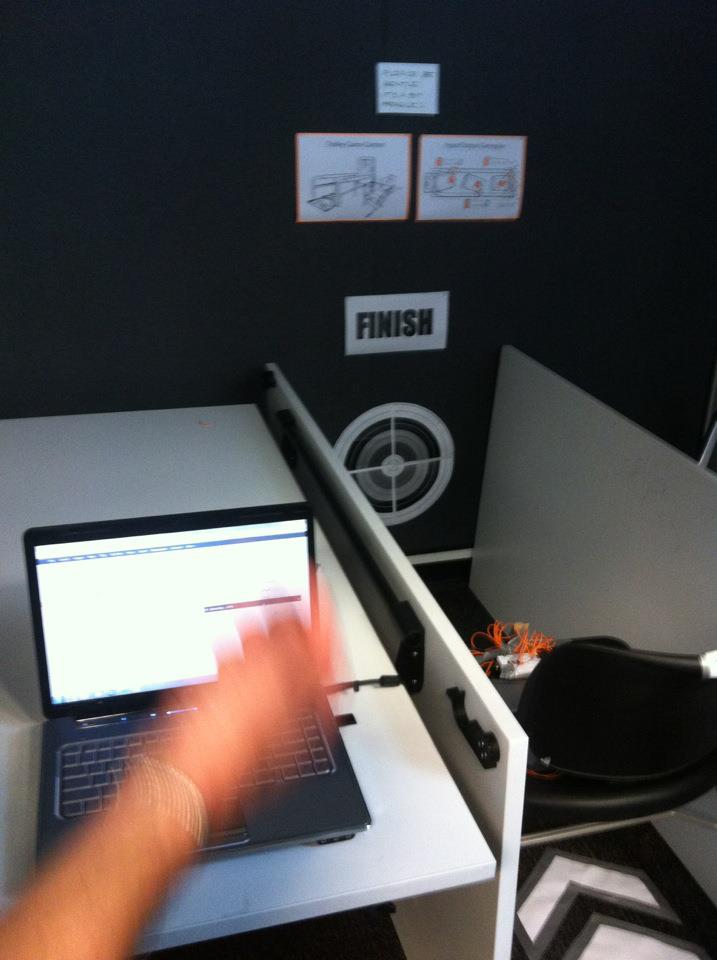
"Trolley Game" Interaction 


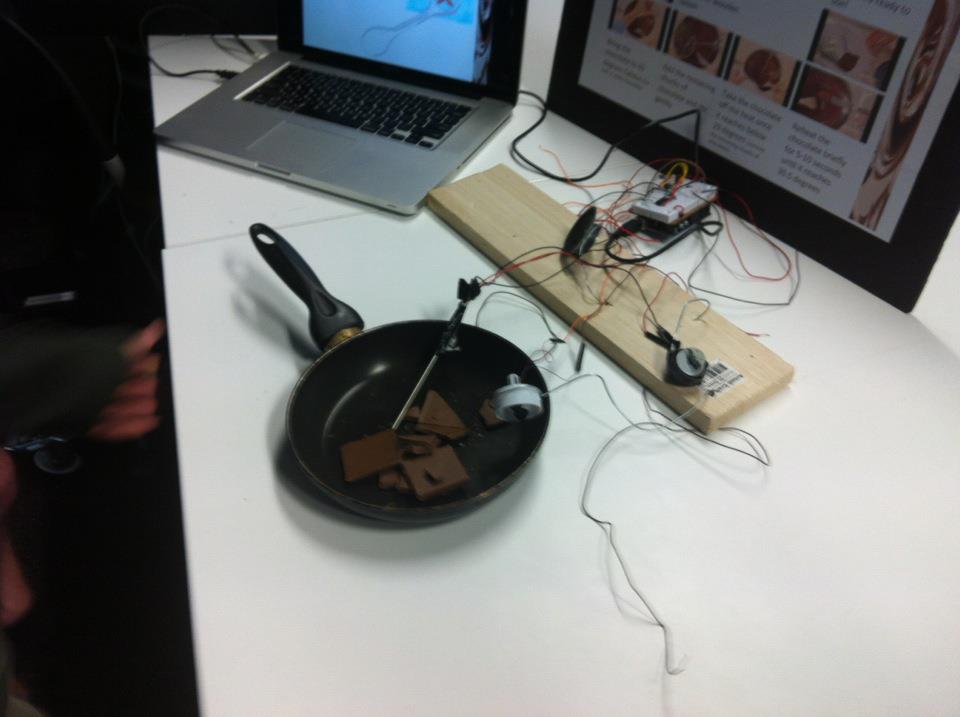
Chocolate Cooking Interaction 


Interactive Advertising Screen

"Kids Teddybear" Interaction 

"Stoplight Game" Interaction 

"Button Interactions"

Kids Mobile Interaction


"Water Pump" Concept
The previous photos show an array of finished "interactions" designed by classmates. This wide array of concepts address the behaviours of humans. Most understand a user and integrate their product into his lifestyle to create the interaction.

Particular concepts that I found interesting included the "Interactive Pillow" concept, which seems like a really cool way for people to communicate, based on reactions you may have in bed.

Also, I found the "Trolley Game" interaction to be especially interesting as it not only created fun out of a generally lame activity but also solved a problem.

Monday, 20 August 2012

Testing the Arduino and Making Our Concept Work..

The following movies represent test attempts at getting the Arduino to simulate the Input and Output we wanted for the Week 5 Presentation.

Note: Some videos could not be uploaded due to file size...

All of these do appear in our final video, in case you need to reference


Re-Reflection on Theory. In Relation to Our New Concept

The following post aims to show how our concept applies to theory. How it understands the rule and chooses to conform or not and an explanation why.

Relation To Donald Norman;

1. Visibility 
The interaction addresses visibility. Visual feedback returns to both the child and user. The functions of the device are easy to comprehend, even though this is not essential as small children may not be able to comprehend / need to understand how the device operates, only respond to feedback

2. Feedback
As previously mentioned, visual feedback returns to the child and parent/carer. Further feedback also returns to the user through audio feedback. 

3. Constraints
Due to the restricted function of this interaction. The device is heavily constrained in the user's mind. 

4.Mapping
Mapping isn’t as essential in this type of device. This is due to the interaction only having more input and output, or one step...

5. Consistency
Again, this device only does one thing. Consistency is not an issue as this interaction will only have one type feedback.

6. Affordance
Finally, the device concept applies well to the context. It is designed to accommodate to the lifestyles of the child and carer. 

Relation To Cooper: Chapters 1 + 2:
This concept is designed to be as simple as possible. The interaction seeks to understand the user's lifestyle and mould around his lifestyle and characteristics. Also, mainly due to assignment constraints, the device seeks to help interaction between digital and physical worlds. Essentially, the user/s cannot get confused in the transition between the physical and digital world. 

Another round of individual exploration..

These are just another few of interaction design concepts that made me think...


Concept One: Microsoft XUI Concept.
I found this concept interesting as it seemed to bridge the physical and digital and the tangible and intangible. Although purely conceptual, the interactions are logical and natural, something crucial to the interaction design process..


Concept Two: Montage
This is a montage of interesting interactive models.. most of which are still based in concept. However one particular example that I found quite interesting was the Water/Light Example at 1:20. You only get a few seconds to look at it, however, I found the concept to be interesting in the sense that it took an interaction/behaviour generally associated with a tap and water and appling it to a light. The concept makes perfect sense. You "fill up' your light for as long as you need to create a cool, ambient experience. The concept could also have environmental benefit as it would give users a physical connection with energy usage, allowing users to monitor their energy expenditure.


Concept Three: Jekyll and Hyde Augmented Reality Book
This is a concept that represents something that can be achieved now. This is not a concept project. This represents a form of interaction design that exists now. The interaction may not be overwhelmingly tangible, but the device still responds to a person's movements (i.e. with the flip of a page to reveal an interactive image)


Another Really Cool Blog Post with about 20 more examples....

http://www.interactiondesignblog.com/2008/10/20-cool-interaction-design-concepts/

Also:
Another article based on Noise/Sound Output:


Sunday, 19 August 2012

Week 4: Research Behind Our Concept..

Overall, our "Interaction Concept" represents a gap in the commercial market.

Some devices in the market only represent finding and locating a child, or making a carer/parent aware of a child in distress.

Examples of Such Devices:

http://www.diginetlink.com/Kids_Tracking_Devices_s/51.htm

http://www.mypreciouskid.com/child-locator.html

http://www.squidoo.com/kidsalert


Not only does our concept do both, but unlike many other devices it also returns feedback to the child which will act as a learning tool. The child learns several social behavioural techniques through the feedback process.

However, one slight limitation of the process will be behavioural reinforcement by a parent/carer. This is so the child can understand what the device does...


How Child React/Behave/Learn/Play:

Central to our idea is understanding how children behave....

after reading a few websites and articles like the ones below..

http://www.ucdmc.ucdavis.edu/cancer/pedresource/pedres_docs/ChildrenLearnThruPlay.pdf

http://raisingchildren.net.au/articles/why_play_is_important.html


... we were able to get a greater understanding of how children behave as well as the fears of some parents. Using this we were able to design an interaction relating to those needs.

Saturday, 18 August 2012

Week 4: Shooting the Video and Building The Model... *Design Process*

As previously mentioned our concept is difficult to film and bring a demonstration into the real world. Basically, because our "Interaction" is centred around a system and a product as opposed to just a product. Also, our product is too small to house the Arduino Circuit board.

With the video, we believed it was a good idea to show how the Arduino would work and in relation to a sound and  motion input with sound and light outputs. Essentially, the Inputs and Output will be shown through the Arduino instead of a physical model, due to the restrictions of our interaction. Inputs and Outputs will be cut into the video. Finally, several context shots will be edited in, to account for the lack of viable context footage.

The constructed model as is shown here (in an early constructed phase) will display the system while a second model will show the wristband device.


Friday, 17 August 2012

Week 4: Reflection and Preparation for Presentation

As you can see in the previous Post, Week 4 centred on redefining our concept, truly understanding our input and output methods as well as preparing for the exhibition in Week 5.

As for a model, the group is designing a scale model of our system, as we can't possibly present our system in full scale. We hope to have a small model of  the "wristband" device, but it will be generally for show.

Wednesday, 15 August 2012

Our New Concept...

After consultation with tutors and conversation amongst ourselves, we sought to rethink our concept and change Interaction.

We believed the previous concept was too restricted and didn't accommodate normal human 'interaction'. Therefore, we changed the concept to create a better understanding of children; how they play and move. The device is to provide both feedback to the child and parent/carer.


Explaining the Diagram:
Children learn through playing, moving around and generally interacting with their environment. This presents the usual predicament for parents of children running around, injuring themselves. Another problem is children learning public etiquette but at the same time alerting parents or carers about a potential problem

The concepts presents a way to ensure that children move around safely and learn as well as ensuring they don't make too much noise, a general problem when children are in public. Feedback comes from a wristband device that the child wears. It indicates to the child that they are moving too fast and are moving away from their parent/carer. It also alerts the child that they are making too much noise or alerting them that their distress has been noted.

The sound input has a dual effect. If a child is in distress, it will immediately return feedback to the carer, alerting them to the problem. 


Monday, 13 August 2012

Reading Reflection Part One: "The Inmates are Running the Asylum"

A Reflection on Part One of "The Inmates are Running the Asylum"


Part One of "Inmates..." presents an interesting introduction to the fundamental problems of product interaction and many comparisons could be drawn with Donald Norman's, "The Design of Everyday Things".  He presents some interesting discussion topics, which will be discussed below.

From Chapter One: 

Human Error vs A Bad Product:
Central to many debates, the author suggests that the problem of many product is bad feedback to the user.

Error Types:
From reading Chapter One, the core of his examples and the design failures are linked to Norman's, "The Design of Everyday Things".

1. the camera example showed how products can have confusing interfaces and responses, with little understanding of what the user wants.
2. The Porsche Car example shows a computerised system that was not designed for all potential contexts. This was a major design flaw, the product would be unable to operate when turning sharp corners with low fuel.
3. The ATM example presents a key problem in most computerised, "step-based" systems. The ATM lacked an understanding of the capabilities of user (i.e. the system gave options for several account types, yet the user only had one) as well as not allowing the user to retreat back one step. If one failure occurred the whole process had to be restarted. However, argument could be made for this design decision. When dealing with people's precious money, perhaps the design erred on the safe side to avoid risk of mishandling a transaction

Finally, Cooper presents a point of view I most definitely agree with. The problem is not the technology; it is the culture, training and attitudes of the designers and educators that present real problems.

From Chapter Two:

Chapter Two expands the problems of Interaction designs, particularly, the concept of Cognitive Friction. Essentially, Humans have problems when presented with a complex, dynamic system. However, Cooper makes the brilliant point when explaining one problem with technology. The problem lies in the cross over from digital to physical and the humans who design.

He believes that there is often friction between programmers and designers; that programmers never consider the human at the end and decisions made by administrators.

I believe, the problems lie in the intangibility of software. Humans cannot visualise what is happening and therefore find it difficult to conceptualise a process. Therefore, software designers blame humans for their inability to understand, while it is the programmers who should be making it easier to comprehend. 

This is best typified when Cooper critiques "interface design". Interface design is just the surface...

Layers:

Interface
Behaviour
Concept

These Layers best show what an interaction designer should be doing.

NOTE: This is how we approached our design situation for Project One. Listing behaviours and understanding a concept, before understanding a behaviour, then creating a product. 

Finally, Cooper makes the interesting observation in regards to consumer technology democratisation. In the past, highly skilled, complex machines required highly skilled users. As technology has become more complex, cheaper and more available, the skill levels of operators and the simplicity of design have not followed suit. This is incredibly evident and understandable. 


Deconstruction Session Two and Reflection

After the last attempt with a single product, the group decided to be a little more ambitious. We pulled apart a series of children's toys as well as an old landline phone. Once again, as before, the exercise allowed us to understand different methods of input and output, while also giving us some valuable insights into the way electrical appliances work.


Photos of our Deconstructed Phone:


Semester Project Thoughts..

Sensing The News...

The first key decision at the start of this project must be how our design team defines the "news". Technically, the news can be defined as any noteworthy information that takes a person's interest. Another general stipulation is that the information must be 'published' somewhere. 

However, modern trends suggest that the gap between "social news" or news amongst friends is being increasingly blurred with published news media. As trends show that people are moving away from television screens and moving towards portable devices as well as spending increasing numbers of hours on websites such as Facebook and Twitter, news media has had no choice but to follow people into that realm. As a result, today we have a broad definition of what constitutes "news". 

Personally, I believeI I have a modern interpretation of what constitues news. It doesn't matter what type of news, whether it is Global, National, Local or between friends, 'news' centres around the transfer of information from source to receiver, and perhaps with feedback which returns either to the source, or to other receivers.

These points present some interesting ideas on how to go about this project. Potential concepts could include a device which filters out news that doesn't appeal to you (.. similar to the current "Flipboard" app) or limits to global / national issues etc...

Also, Perhaps a device which not only receives the news, but is a conduit between people with similar news tastes (Note: This is an identified trend. Many news outlets are seeking to link third party content producers and create discussion).

However, it is also important to remember key contraints as outlined from the brief as well as satisfy what the client is after. This will undoubtedly affect our design and method. 

References:


Our Concept. So Far....

Just a couple of diagrams relating to our concept...


Sunday, 12 August 2012

Week Three: A Reflection on Theory

 Donald Norman’s 6 Design Principles:

1. Visibility:
The more visible the function, the more likely the user is to understand. Essentially make the process as visual as possible and don’t hide functions from the user. 

2. Feedback:
Feedback refers to sending information back to the user. Fairly self-explanatory. It is important that the user knows that the input has been entered as well as if it had been entered correctly or incorrectly.

3. Constraints:
Constraints refers to designing an interaction that limits the amount of possible inputs the user can use. This ensures that the user doesn’t get overwhelmed or confused by the interaction process.

4. Mapping:
Mapping is incredibly important to the interaction design process. It involves the rationalisation of an object by the user and an understanding of physical controls in relation to the outcome of the control. This point will be vital in our project.

5. Consistency:
Consistency refers to ensuring that actions have consistent responses every time you do them. Its fairly self explanatory, but it is a fundamental law of interaction design.

6. Affordance:
Affordance refers to designing a physical medium that matches users perceptions. For example, a mouse button, “looks” like it should be pushed.


Application to Our Potential Concept:
Norman’s principles are incredibly important when designing an interaction and our group will strive to apply them to our project. For example, in our fictitious  scenario, more than one person must receive feedback and visibility is paramount.

However, some of the “Input” methods which we use void several design principles. For example, Mapping would be difficult to comprehend with an audio input.

Tomorrow: A Reflection on "The Inmates are Running The Asylum" 


Week Three: Class Revision and Workshop


The brief presentation from Leonardo helped me understand better the concept of Input/Output and the wide range of input and output methods. This was demonstrated through Leonardo’s music mapping techniques. Particularly the “Drum Beat” Noodle thing and the dancers music board. All these inputs came from a wide variety of sources and were able to tap into a wide variety of sources.

The design task centres around understanding a behaviour and helping to design an interaction centred around the behaviour; something which helps facilitate an interaction.

From here, we brainstormed understanding keywords from week 1, listing inputs and outputs. This was coupled with a brainstorm of behaviours, which resulted in connecting inputs and outputs.

Finally, the design team also looked at the technology we had at our disposal as well as our current understandings of Arduino programming. We wanted to create an interaction that utilised all 5 senses, something that was bold without being limited by the usual solutions. 


Assessment One Workshop:
The Concept:
The Concept we generated, and at this point, the one we’re running with, centres around what people do in a panic. A reaction which is perhaps more natural and unfiltered than any other.
.
The group then thought of ways to harness the panic as an input to an “interaction” with a fictious ‘device’ that would produce an output, thus easing, preventing or stopping the panic.

We brainstormed several emergency or terror-driven situations as can be seen here.

As a result, we came up with the concept of a prison situation, which involved restriction of interaction between people for their own safety. The Input would come through several sources. If a person felt threatened, they could yell or hit a safety switch which would trigger a visual and sound alert on console to tell the authorities about the incident. 

The third and final input would require no conscious input by the person at risk. This concept would require a weight sensor in a “cell” which would be triggered if more than a specific amount of weight entered the area, thus indicating that two people were in the one area.


Sunday, 5 August 2012

Industrial Designers and Interaction Design


The Role of the Industrial Designer in Interaction Design:

Personally, I believe the industrial designer is a vital component in the interaction design process. This is because the industrial designer provides the link between the tangible and the intangible, the physical and digital, hardware and software. A software design team may have expert knowledge in constructing programs and interfaces, while a manufacturing group may have unparalleled knowledge of manufacturing techniques, however, without input from an industrial designer, the product is more than likely to fail. 

Overall, in this process, the industrial designer takes a holistic approach, with the focus being the user and their perception of a product. The understanding of the user and their behavior, I believe, is incredibly vital, particularly in the interaction design process.


Week Two: Lecture and Studio Revision.


Class Review:
The lecture content focused on the readings and again trying to understand the fundamental concept of input/output. Despite having already taken in the readings, Marianella's lecture provided a different point of view to my own. It helped open my eyes in regards to the interaction design, particularly the concept of design metaphors, something I struggled to conceptualise in the reading.

The key is understanding the concept of 'mapping'. The display or control must match and seem a logical metaphor to what the product is or how it would respond.

The studio session also helped me understand the key concept of input and output. The deconstruction of a simple product gave me an interesting perspective and understanding of the vast array of input and output methods. We started with a simple, "control" product just to get our bearings and we were blown away with its inner complexity. We discover new Input methods. These input methods that helped encapsulate all 5 major senses. 

The child's toy did engage four of the five major senses, however additionally, the product also engaged each of these senses in a different way. In particular, the product had several different tactile surfaces which immediately evoke different functions within the user's perception. All play surfaces were spongy and malleable, while the more clinical or hard buttons represented functions (i.e. On/Off or Reset). This simple observation gave me a better idea of a simple physical input. 


Deconstruction Process:


From this product, we were able to scavenge a few parts....

This process will be repeated over the following days with more products.


Audrino Exercises and Learning to fail quickly and often.....

Tutorial One: Digital Outputs
The most simple of the exercises, this tutorial showed a simple way to program and display digital outputs.

Tutorial Two: Digital Inputs
Again, another foundation exercise, the tutorial shows how to set up digital inputs. The di

Tutorial Three: Output and Input
Now, we starting to combine digital inputs and outputs. Combined from Tutorial 1 and 2, we were able to show a digital input and the translation of the data into a response (digital output)


Understanding Functions:
The tutorial showed how functions reduce coding times and neaten up the programming window.

Tutorial Four: Analogue Output. 
This proved a really cool challenge for the team, simply because a few of the parts we used were scavenged from the children's toy we deconstructed earlier (see above). Especially noticeable was the speaker which we were able to program to produce sound. (see below)


Tutorial 4 Failure:
We originally tried to do this tutorial in the workshop, without completing the foundation tutorials. Although we weren't successful, largely due to inexperience in programming an Arduino , we were able to get an understanding of how the circuit board actually works. This included how the electricity flows across the board and how components interact.


Friday, 3 August 2012

Another Couple of Concepts that made me think.

CONCEPT:
Amusity - Musical Coffee Table Concept:

The Short Version.....


The Long Version...
Thoughts on the Concept:
The really cool thing about this concept is that it brings a physical and tangible interaction back into music, something which was lost with the digitisation of sound.

People use similar interaction input methods that you would normally associate with stereo systems. The concept still feels like an old HiFi system.  The interaction is transferred through the physical input method to an interactive screen. The response is confirmed back to the user through feedback. In this case the device provides visual and sound cues when an operation is performed. 

The device also promotes socialising through the medium of music. People are able to interact and enjoy....


CONCEPT:
Arduino Project LED Student Project. 


A really cool student project using a similar Arduino kit. The device allows the user to change the lighting and 'mood' of the room through lighting. Also, the lighting configurations are based around star constellations. I thought this was pretty cool as it added a sense of symbolism and deeper understanding to a usually simple device.

CONCEPT:
Arduino LED Cube.


Shown to me by a fellow teammate, this concept shows a different side to communication through lights. Essentially, the cube and lights are be able to create very complex shapes which can be used transmit quiet detailed messages. For example at 2:22, the lights form a wave pattern which the group believed couple actually apply to our crazy wave concept from Week One. And the way this communication actually works? its done through the arrangements of light and how they the sit in 3D space. The relation of one light to the others make the transfer of information possible.

As a side note, this concept might only be able to be applied if the view of the output is standing in the right position.